7 Best AI Headshot Generators in 2025: Tested & Compared
Your LinkedIn photo from 2017 isn't doing you any favors. Here's how to get a professional headshot in minutes without leaving your couch.
Let's be honest—your LinkedIn photo from 2017 isn't doing you any favors. Back then, you thought that slightly cropped wedding photo would "work for now." Well, now it's 2025, and you're still rocking the same outdated picture while wondering why recruiters aren't sliding into your DMs.
Whether you're job hunting, building your personal brand, or just tired of looking like your own before-picture, a polished headshot is your secret weapon for making a killer first impression. But here's the thing: professional photoshoots cost a fortune (we're talking $200-$500+), require scheduling nightmares, and somehow always catch you on your worst hair day.
Ready to Transform Your Photos?
Create stunning AI-generated photos in minutes. Professional quality, endless possibilities.
Get Your Photos NowView pricing plansEnter AI headshot generators—the game-changers that turn your casual selfies into studio-quality professional photos without leaving your couch. No photographer required. No awkward small talk. No "turn your head slightly left... no, my left."
In this guide, I've tested the top AI headshot generators on the market so you can finally update that profile picture and start looking as successful as you actually are. Here's the rundown on the best options for 2025:
Quick Comparison: Top AI Headshot Generators
| Tool | Price | Photos Required | Turnaround Time | Our Verdict |
|---|---|---|---|---|
| Photo AI Studio | From $29 | 1 photo | ~2 minutes | 🏆 Best Overall |
| BetterPic | From $35 | 6-8 photos | ~30-60 mins | Good customization |
| Aragon AI | From $35 | 6 photos | ~30-90 mins | Decent style variety |
| HeadshotPro | From $29 | 6+ photos | ~60 mins | Solid for teams |
| Fotor | Free/Paid | 1 photo | Instant | Okay budget option |
| Canva | Free (2/day) | 1 photo | Instant | Basic free option |
| Dreamwave AI | From $39 | 8+ photos | ~60 mins | Average all-rounder |
1. Photo AI Studio — Best Overall AI Headshot Generator
Pricing: Starts at $29 | Speed: ~2 minutes | Photos Required: Just 1
🏆 Our Top Pick
After testing every major AI headshot generator on the market, Photo AI Studio came out on top—and it wasn't even close. While competitors make you hunt for 10-40 decent selfies and wait up to two hours for results, Photo AI Studio delivers professional headshots from a single photo in roughly two minutes. Here's why it outperforms the competition:
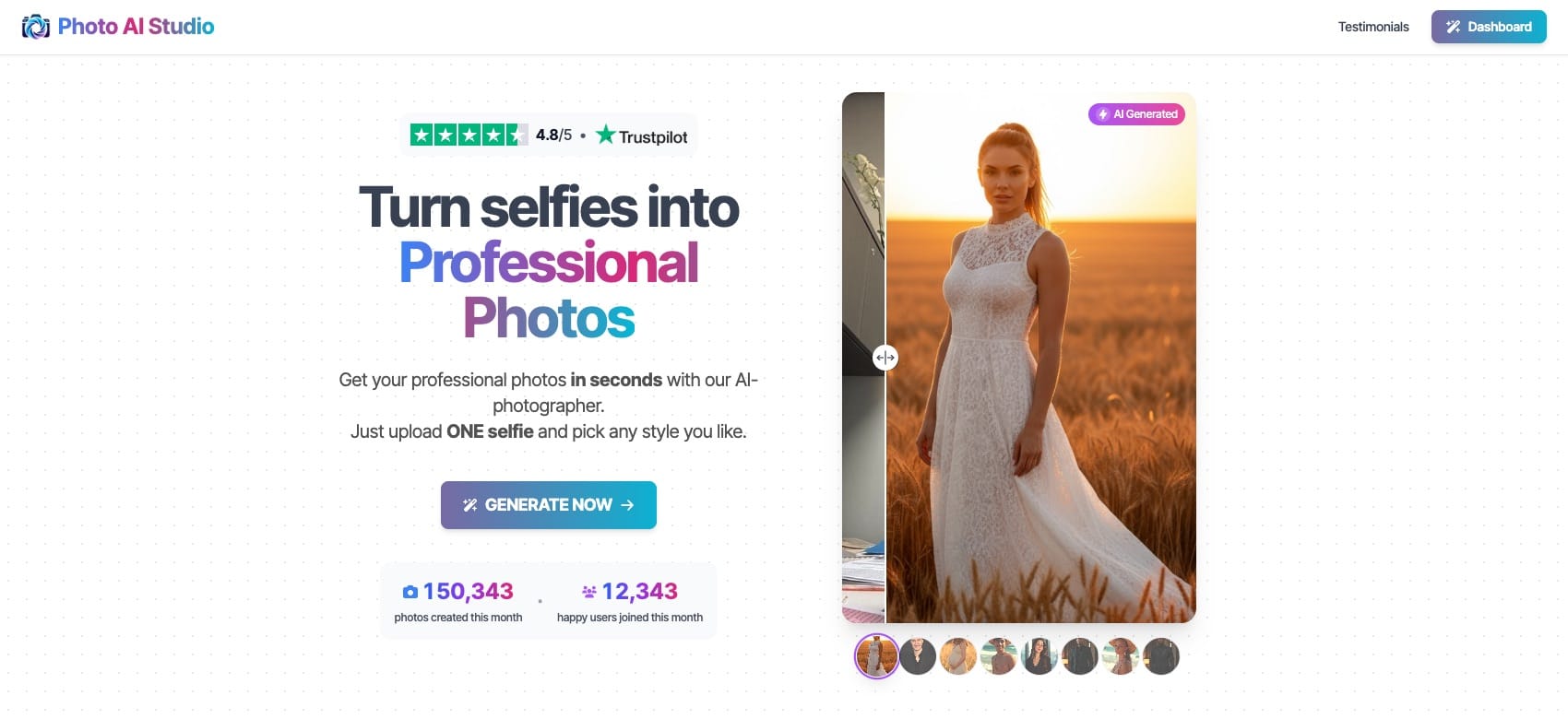
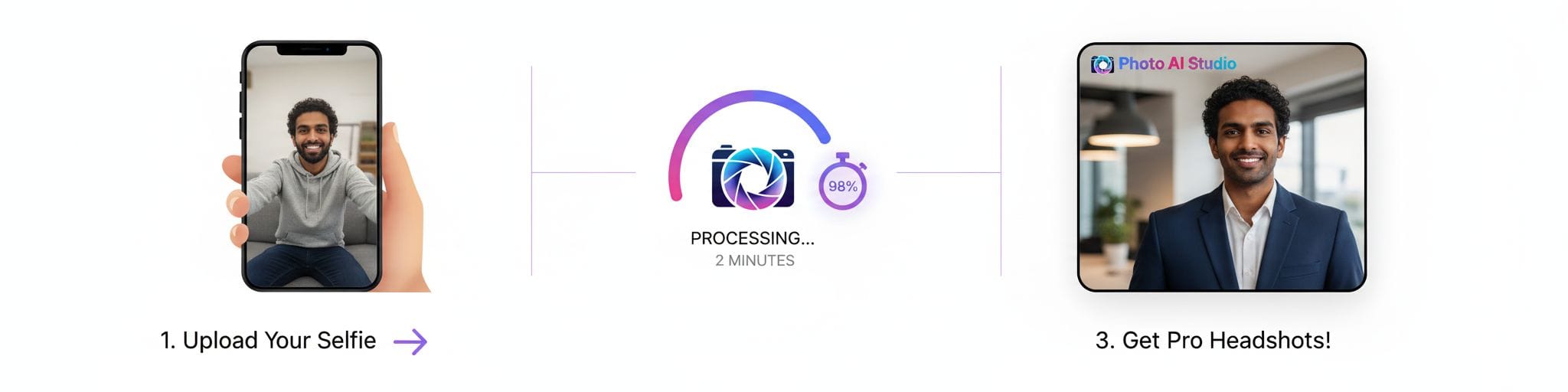
Unmatched Speed: Two minutes. That's it. While other platforms leave you refreshing your inbox for an hour (or longer), Photo AI Studio gets you back to your day almost immediately. No other generator comes close to this turnaround time.
One Photo Is All You Need: This is the game-changer. Every other platform demands 6, 8, even 15+ photos—which means digging through your camera roll, finding shots with different angles, good lighting, varied expressions... it's a whole project. Photo AI Studio eliminated that hassle entirely.
Best Value for Money: Starting at $29 with pay-per-use and subscription options, you're getting premium results without premium pricing. When you factor in the time saved, it's the clear winner on value.
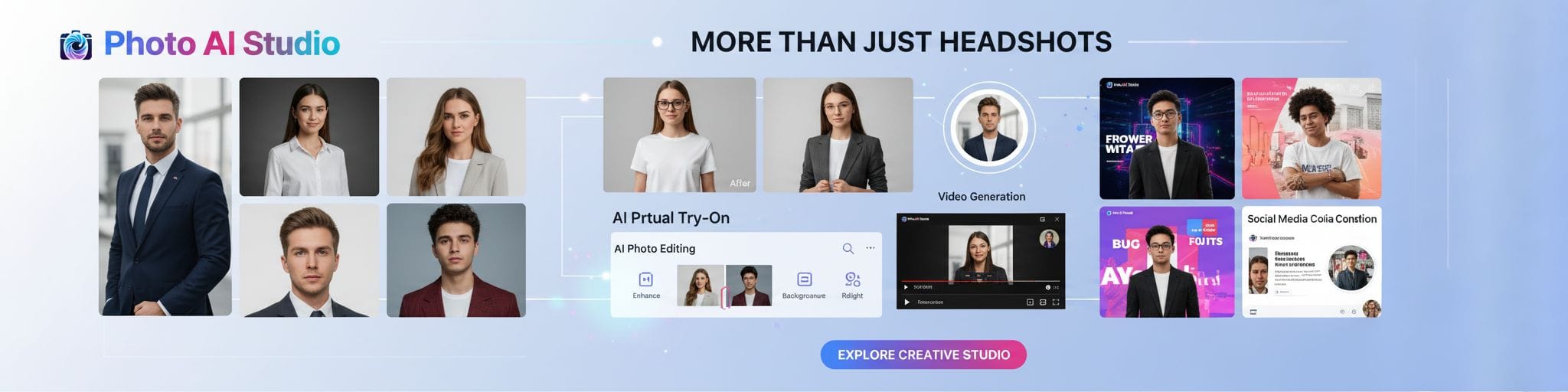
Complete Creative Suite: Beyond headshots, you get access to virtual try-on, AI photo editing, video generation, and social media content tools. It's not just a headshot generator—it's an entire creative platform.
Consistently Realistic Results: The AI produces natural-looking headshots that actually look like you, not some uncanny valley version of yourself. The lighting, skin texture, and professional styling all hit the mark.
Who It's For: Honestly? Everyone. Whether you're a busy professional who needs results now, a content creator pumping out regular content, or someone who just doesn't have 15 perfect selfies lying around—Photo AI Studio handles it all.
The Bottom Line: If you only try one AI headshot generator, make it this one. It's faster, simpler, and more affordable than the alternatives while delivering results that match or exceed platforms charging more.
👉 Get your professional headshots at photoaistudio.com
Disclaimer: This is our product, and yes, we genuinely believe it's the best option available.
2. BetterPic — Decent Customization Options
Pricing: Starts at $35 for 20 headshots | Speed: ~30-60 minutes | Photos Required: 6-8 photos
BetterPic is a solid choice if you want more hands-on control over your headshot styling. They offer a range of background and outfit options, plus 4K image quality.
What's Good:
- Reasonable customization for backgrounds and outfits
- 4K resolution images
- Human editing available (for an extra $8 per edit)
- Money-back guarantee available
What Holds It Back:
- Requires 6-8 photos to get started—significantly more effort than Photo AI Studio's single-photo approach
- 30-90 minute wait time feels slow compared to instant alternatives
- Higher starting price ($35 vs $29)
- Extra edits cost additional fees
The Verdict: BetterPic gets the job done and offers decent customization, but the multi-photo requirement and longer wait times make it less convenient than our top pick. If you specifically need extensive style control and don't mind the extra steps, it's worth considering.
3. Aragon AI — Reasonable Style Variety
Pricing: Starts at $35 for 20+ headshots | Speed: ~60-90 minutes | Photos Required: 6 photos
Aragon AI has built a reputation around offering lots of style options. They go beyond standard corporate headshots with seasonal themes and creative filters.
What's Good:
- Decent selection of backgrounds (46+) and looks (32+)
- Remix feature to adjust styles after generation
- Responsive customer support
- Will regenerate headshots if you're unhappy
What Holds It Back:
- 60-90 minute processing time is on the slower side
- Requires 6 photos minimum
- Premium pricing for what you get
- The sheer number of options can feel overwhelming without actually improving results
- Creative styles are fun but not essential for most professional use cases
The Verdict: Aragon offers variety, but variety alone doesn't make headshots better. If you enjoy experimenting with different looks, it's a reasonable option—just know you'll wait longer and pay more than necessary for most professional needs.
4. HeadshotPro — Acceptable for Team Photos
Pricing: Starts at $29 for 120 headshots | Speed: ~60 minutes | Photos Required: 6+ photos
HeadshotPro markets heavily toward businesses and teams needing bulk headshots. They emphasize quantity—120 headshots at the base tier.
What's Good:
- Lots of headshots per package (if quantity matters to you)
- LinkedIn preview feature
- Team and business packages available
- Money-back guarantee
What Holds It Back:
- Requires 15+ photos for optimal results (some users report needing 20+)
- Quality can be inconsistent—you get volume, but not all images are usable
- More headshots doesn't mean better headshots
- Traditional/corporate styling only—limited creative options
- The "120 headshots" sounds impressive until you realize you might only like 10-15 of them
The Verdict: HeadshotPro works for companies needing consistent team photos, but the high photo requirement and variable quality mean it's more about quantity than quality. For individual professionals, simpler options exist.
5. Fotor — Basic Budget Option
Pricing: Free tier available; paid plans from $9.99/month | Speed: Instant | Photos Required: 1 photo
Fotor is primarily a photo editing platform that added AI headshots as a feature. The free tier lets you test it out, but results reflect the price point.
What's Good:
- Free tier available for testing
- Single-photo upload (convenient)
- Part of a larger photo editing suite
- Instant generation
What Holds It Back:
- Free results are noticeably lower quality than paid competitors
- Not a dedicated headshot platform—it shows in the results
- Generic outputs that lack the polish of specialized tools
- You get what you pay for
The Verdict: Fotor is fine for casual social media use or testing the concept of AI headshots before investing. For anything professional—LinkedIn, resumes, business profiles—you'll want a dedicated platform.
6. Canva — Bare Minimum Free Option
Pricing: Free (2 headshots/day) | Speed: Instant | Photos Required: 1 photo
Canva added AI headshots to their design platform. It's free and fast, but the results are more stylized than realistic.
The Pros:
- Completely free (2 daily generations)
- Simple interface
- Integrates with Canva's design tools
- Quick and easy
The Cons:
- Results lean stylized/artistic rather than photorealistic
- Not suitable for formal professional contexts
- Very limited customization
The Verdict: Canva works if you need something right now and have zero budget. For anything beyond casual social profiles, the stylized results won't cut it in professional settings.
7. Dreamwave AI — Average All-Rounder
Pricing: Starts at $39 for 120 headshots | Speed: ~60 minutes | Photos Required: 8+ photos
Dreamwave AI offers a mix of professional and creative styling options with a higher photo requirement.
What's Good:
- Decent variety of styles
- 120 headshots per package
- Multiple outfit and background combinations
What Holds It Back:
- Highest entry price on this list ($39)
- Requires 8+ quality photos—more than most competitors
- Hour-long wait time
- Nothing particularly standout compared to alternatives
The Verdict: Dreamwave is average across the board. It's not bad, but there's no compelling reason to choose it over more affordable, faster, or simpler options.
Why Photo AI Studio Wins
After testing all the major players, here's why Photo AI Studio stands above the rest:
| Factor | Photo AI Studio | Competitors |
|---|---|---|
| Photos Required | 1 | 6-15+ |
| Turnaround | ~2 minutes | 30-90+ minutes |
| Starting Price | $29 | $29-$39 |
| Ease of Use | Upload one photo, done | Multiple uploads, forms, waiting |
| Result Quality | Professional & realistic | Varies widely |
| Extra Features | Full creative suite included | Limited or extra cost |
The math is simple: Photo AI Studio delivers equal or better quality with less effort, less time, and competitive pricing. Why make things complicated?
How to Get the Best Results from Any AI Headshot Generator
Whichever platform you choose, these tips help:
Tips for Best Results:
- Good lighting matters: Natural light or well-lit environments produce better AI results
- Face the camera: Clear, front-facing photos work best
- Skip the accessories: No sunglasses, hats, or anything covering your face
- Use recent photos: The AI should recreate how you look now
- Quality over quantity: One great photo beats ten mediocre ones
The Bottom Line
AI headshot generators have democratized professional photography—no expensive photographer, no awkward posing sessions, no waiting weeks for edited results.
Photo AI Studio leads the pack with its one-photo, two-minute approach that eliminates the friction other platforms create. While alternatives like BetterPic and Aragon AI offer decent customization, and budget options like Fotor and Canva exist for casual use, none match Photo AI Studio's combination of speed, simplicity, quality, and value.
Your professional image deserves better than that dusty 2017 photo. And now upgrading takes less time than making your morning coffee.
👉 Ready to look as professional online as you are in person? Get started at photoaistudio.com